How to choose the best TCG card scanner app
A quick match is useful only if it is the right printing. For collectors, the best scanner is the one that lets you verify the set, number, language and finish before assigning a value.
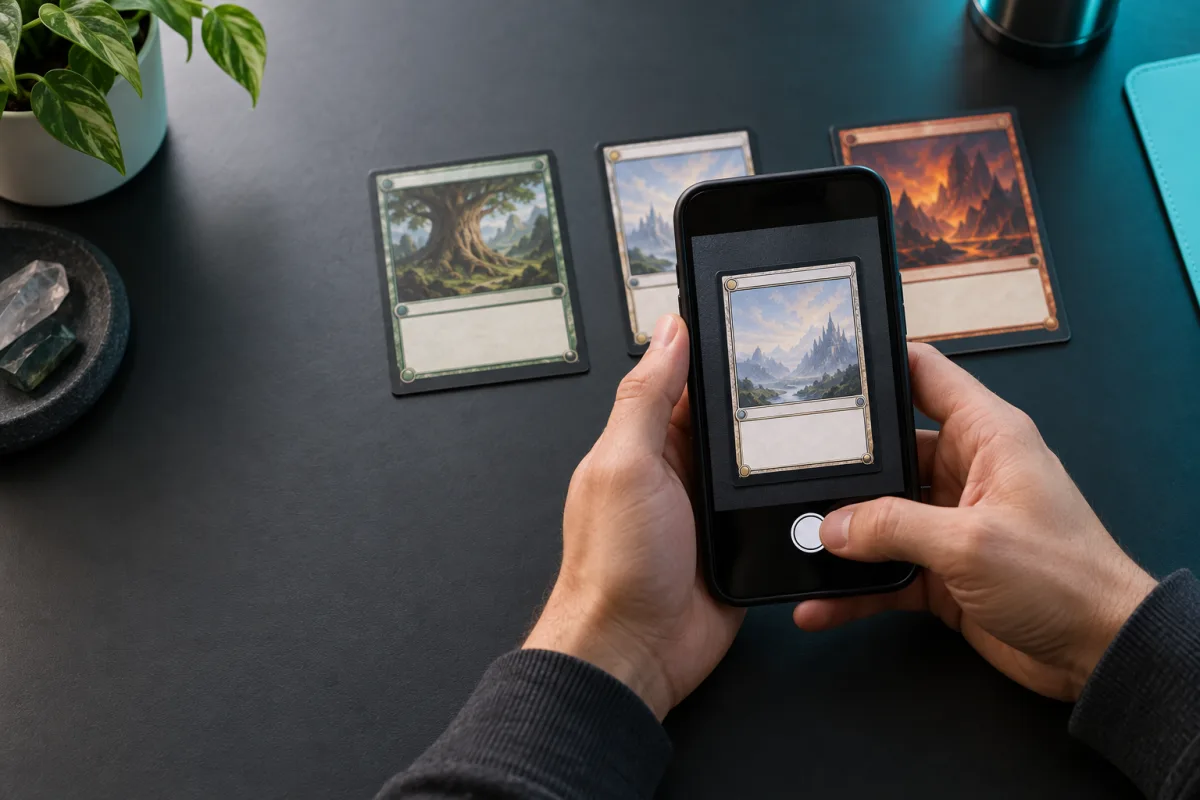
Test exact-print accuracy
Use a small test pile with a normal card, reverse holo, alternate art, reprint and graded slab. Photograph each under ordinary room lighting. Check whether the scanner distinguishes the version you own, not just the character or artwork.
An app that returns several candidates can still be useful if it shows their images and collector numbers clearly. An app that silently picks an expensive variant is riskier than one that asks you to confirm.
Check where the price comes from
Compare the estimate with recent sales for the same condition, currency and region. Listing prices are sellers' hopes; completed sales are stronger evidence of what buyers paid. A single number without a date or source is hard to trust.
For graded cards, compare the same grader and grade. A raw near-mint copy, PSA 9 and PSA 10 are separate markets.
Try the full collecting flow
Scan ten cards, correct one mistake, add them to a collection and export or revisit the list. Check the free allowance and subscription terms before relying on the app for a whole binder.
If you collect several games, repeat the test for each. Coverage of Pokémon does not establish coverage of every One Piece, Magic or Japanese printing.
Build a five-card accuracy test
Choose five cards that are difficult in different ways: a standard modern print, a reverse holo, a reprint with familiar art, an alternate illustration and a card in a graded case. Write down each physical card's set, number, language and finish before opening an app. This prevents the first result from anchoring your judgment. Scan each under the same light, then record whether the app proposed the correct print, asked you to choose, or offered only a broad character match.
Give two points for an exact match, one point when the exact version is available within an easy correction flow, and zero when it cannot be found. Repeat a failed photo once with better lighting. That simple ten-point score tells you more about your own collection than an advertised recognition percentage with no published test set.
Audit a price before trusting the portfolio total
Open the source behind one expensive estimate. Record its date, currency, condition and whether it is an asking price, a market index or a completed sale. If the app reports a single number without those details, look for independent sold examples. A near-mint English copy, Japanese promo and PSA 10 slab should never be pooled into one comparable price. Do the same check for a low-value card; some apps handle headline chase cards well but use sparse data elsewhere.
Make the app's correction behavior part of the test. A mistake corrected before saving is a small inconvenience. A mistake silently added to a portfolio and carried into a sale listing is much costlier. Check whether changing a print also updates the total and preserves your original photograph.
Compare the cost of a real collecting session
Free scan counts, recurring plans and paid AI condition checks are separate products. Price the task you actually have: perhaps fifty binder cards to identify, ten uncertain variants to correct and two cards to inspect for grading. Check whether repeated photos of the same card spend another credit, whether failed scans are refunded, and whether an export is possible if you leave the service.
For a multi-game collection, run at least one test in every game you own. A strong Pokémon catalog does not imply current coverage for a new One Piece release or a Japanese promo. The best choice is the app that handles your difficult cards transparently and lets you get your records back, not the app with the broadest unsupported headline.
Common questions
Can a scanner identify every card?
No. New releases, promos, Japanese printings, alternate art and poor photos can defeat any catalog. Keep a manual search path.
Should I trust the first price shown?
Treat it as a lead. Confirm the exact printing and condition, then check comparable completed sales.
Sources and further reading
Related guides
How to scan Pokémon cards for value
Use a phone photo to find a Pokémon card's likely printing and estimated value. Learn where scanners fail and how to verify a match.
How to batch scan trading cards without losing accuracy
Scan several cards in one photo or move through cards one by one, then verify printings before adding values to a collection.
AI card grading apps: what they can and cannot tell you
AI pre-grading can highlight centering, corner and surface concerns from photos. Learn why it is an estimate, not a professional grade.
Look up the exact card printing before using a value estimate. CardBoom also lets you save supported cards to a collection.
Explore the catalog Get the Android app